Ages 6 to 15 · every subject

Practise until it sticks.

All the learning from age 6 to 15, built up step by step. At every child’s level, with an explanation for every mistake.

Practise now, no account
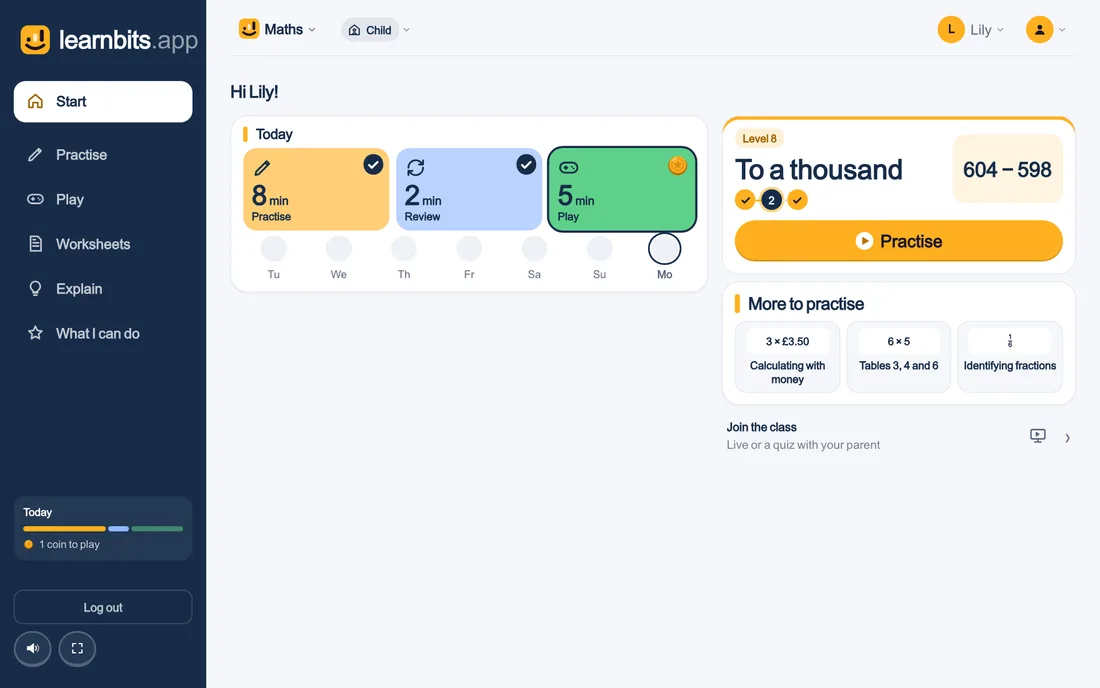
A child’s Start page on a laptop: the subject, the level and the Practise button.
  • Every topic with its own approach and explanation
  • The level adapts to the child
  • The same progress at home and at school
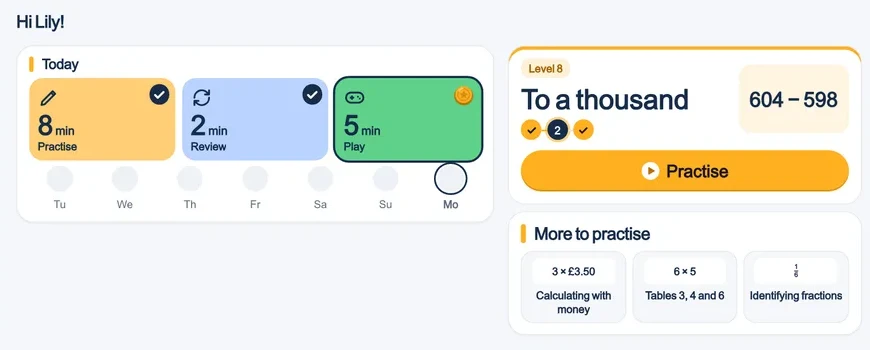
A child’s home screen
The Learnbits home screen: today’s practice, review and play, the level and more to practise
Step by step together
Working out a fraction sum step by step: which denominator fits both
  • An explanation with a drawing or model
  • Step by step, until the child can do it alone
  • With the numbers of the question itself
  • Down to a single goal
  • Also as homework
  • You see who is done
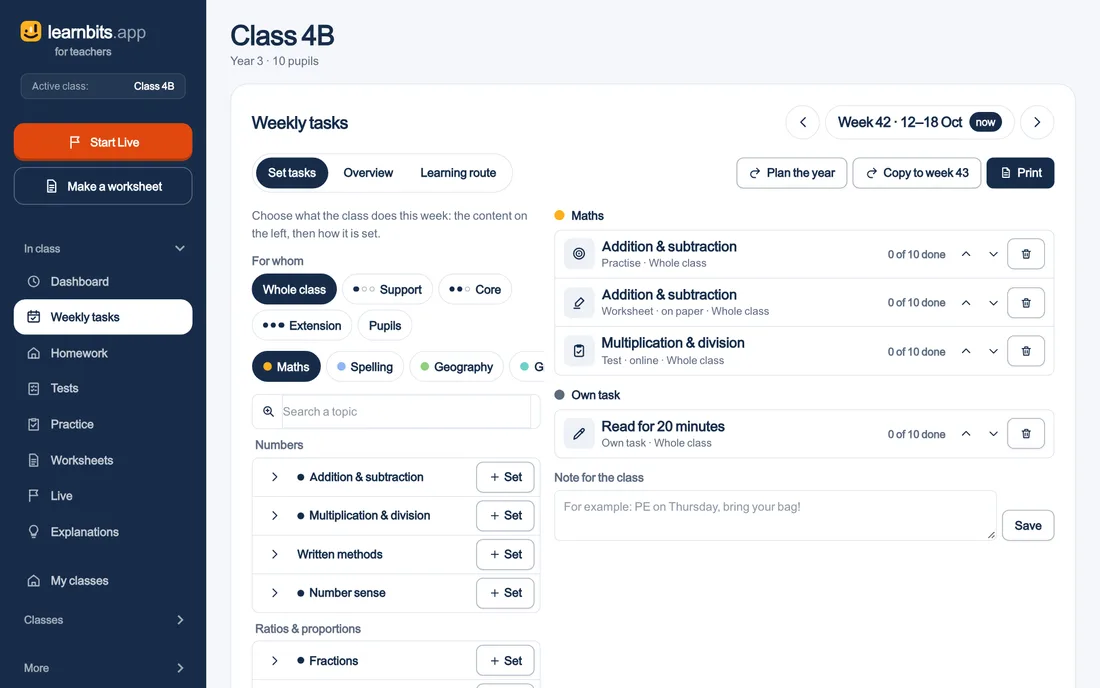
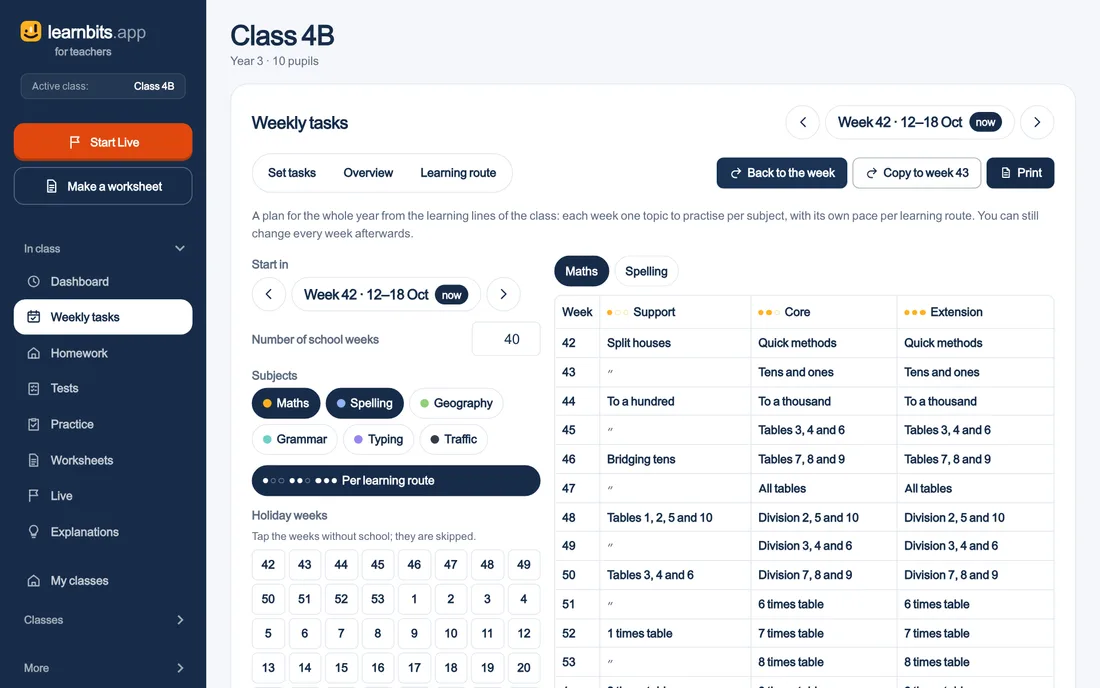
Setting up the week
The week planner: topics per subject on the left, what the class does this week on the right
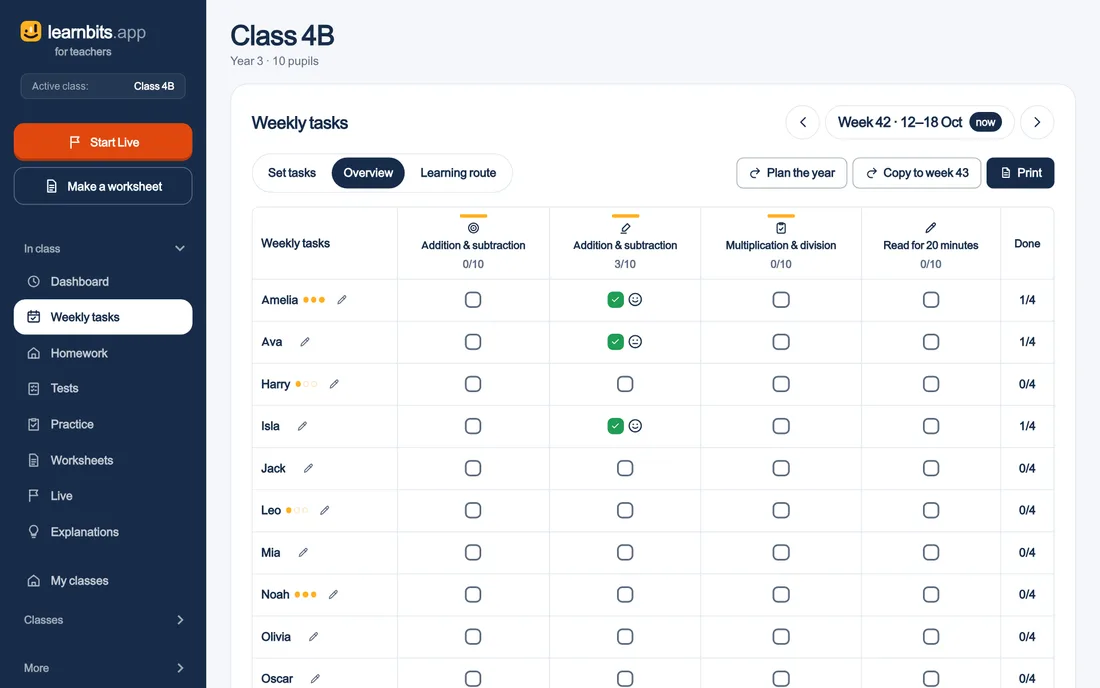
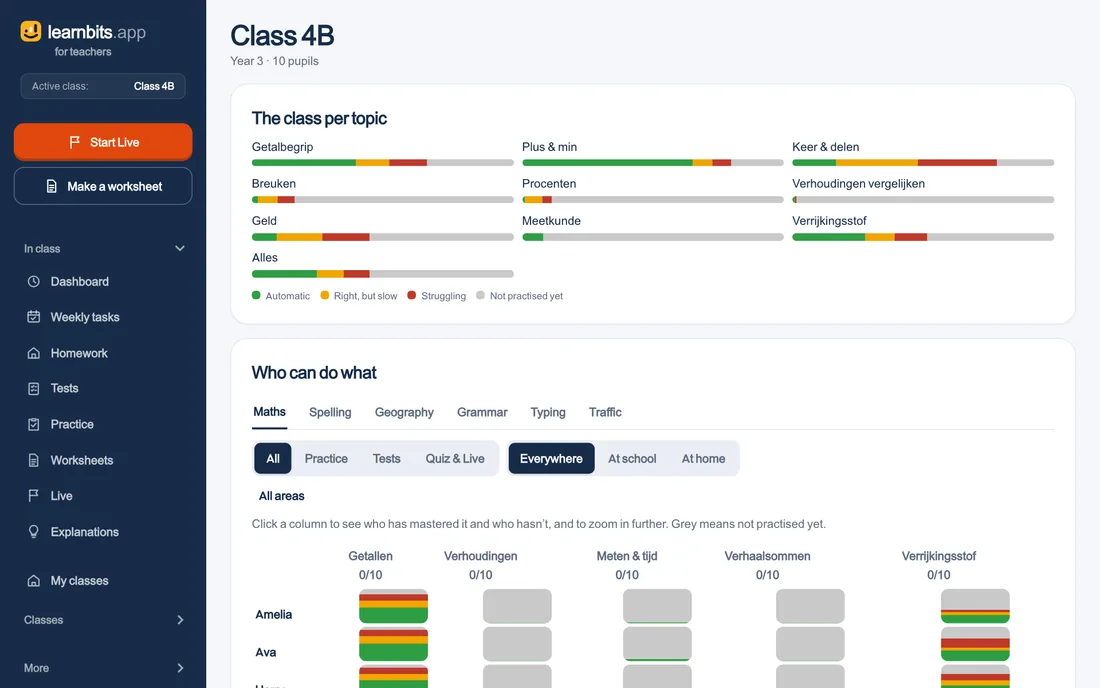
The class per topic
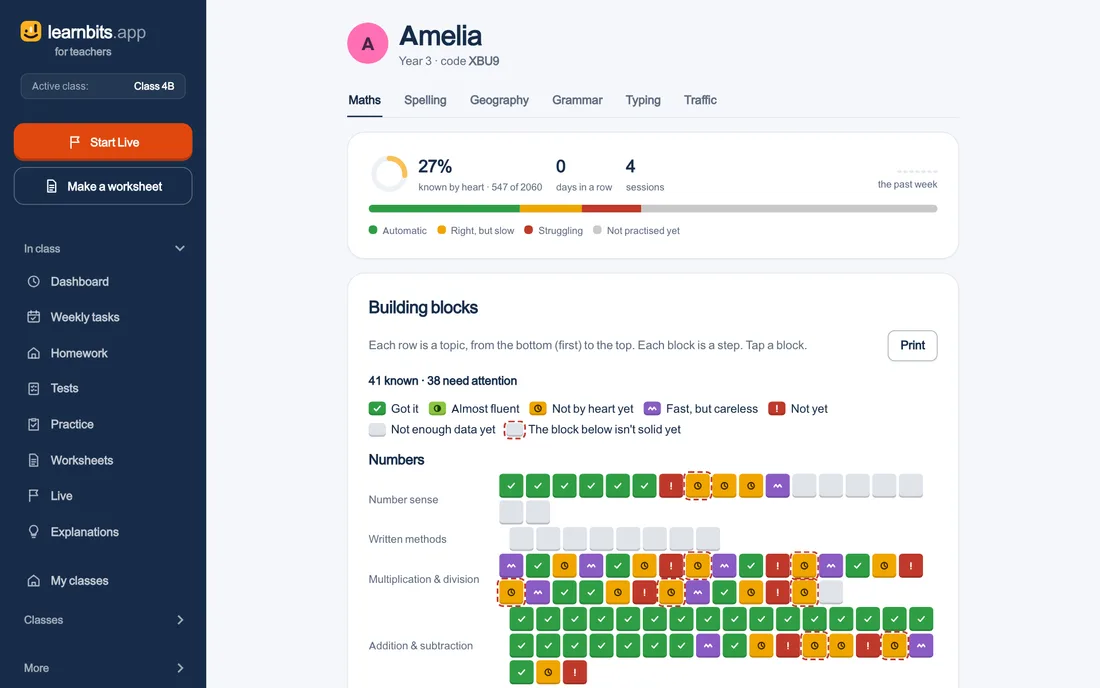
The class overview: per topic a bar from automated to not yet practised, and per pupil who can do what
  • For the whole class and per pupil
  • Practice, tests, quiz and Live in one overview
  • School and home shown separately
  • Sign in with the class code, Google or a link
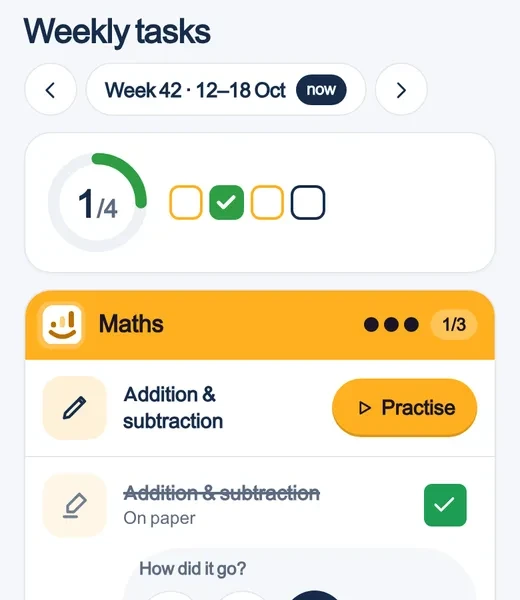
  • The weekly task per subject, with what is done
  • Made for a Chromebook, laptop or tablet
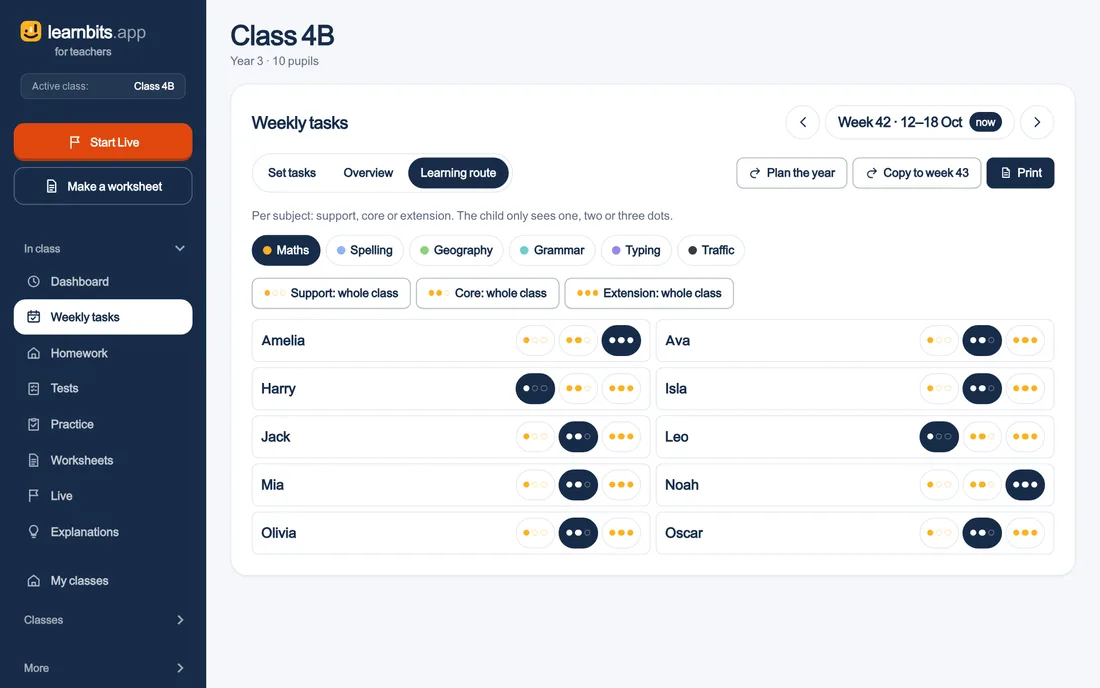
The weekly task
A pupil’s weekly task: what is set per subject this week
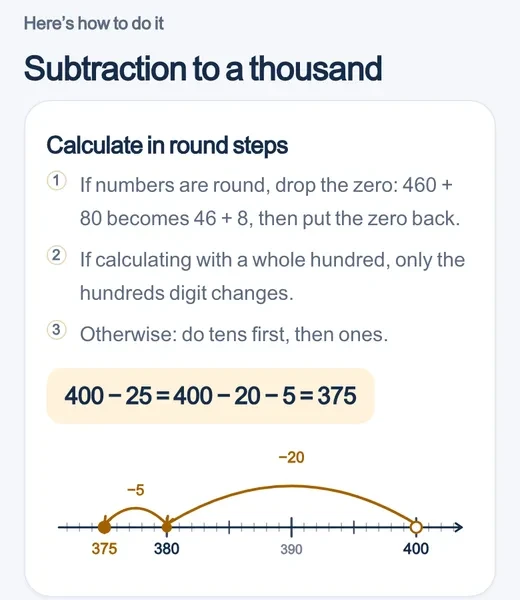
The method
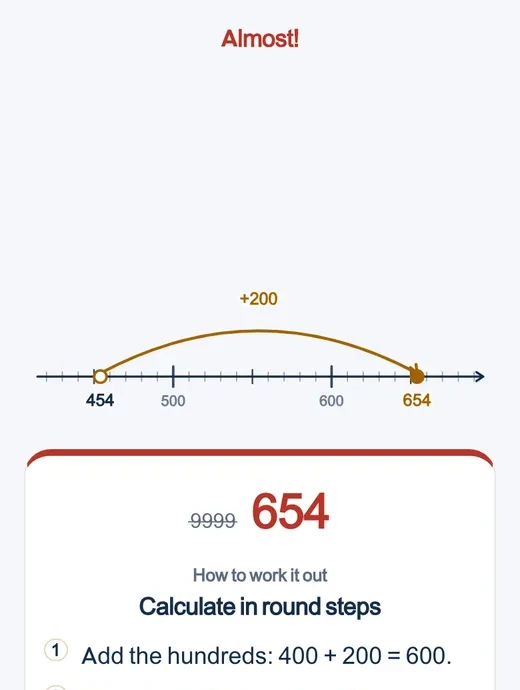
The method for a sum, step by step on a number line
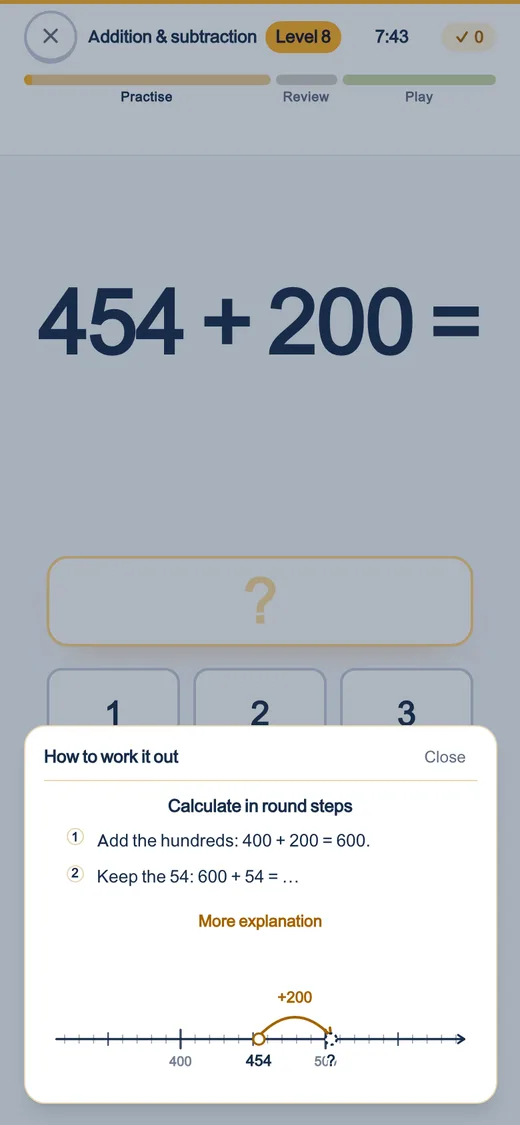
Explaining a mistake
An explanation of a wrong answer, with the right method
  • Join with a QR code, no sign-in
  • A quiz, a lesson or a game
  • What they practise counts towards their progress
Building site: red against blue
The Building site game on the whiteboard: two teams build their tower with every right answer

The theory

Built on research

Six principles from research into learning.

  1. 1Retrieval practice

    Answers from their own head

    Typing, tapping or pointing, never multiple choice. Retrieving it themselves makes it stick.

    Why this works ›
  2. 2Immediate feedback with worked examples

    An explanation right after a mistake

    The method step by step, with the numbers of that sum. Then the sum comes back.

    Why this works ›
  3. 3Adaptive practice

    Always at the right level

    Seven in ten sums go well, three are just a step further.

    Why this works ›
  4. 4Spaced and interleaved practice

    Review until it sticks

    What hasn’t stuck comes back more often, spread over days and mixed.

    Why this works ›
  5. 5Mastery learning

    Move on when it sticks

    A new step opens only when the previous one goes smoothly.

    Why this works ›
  6. 6Formative assessment

    Seeing what has stuck

    Per child and per class you see what goes smoothly and what doesn’t. One click sets what is needed.

    Why this works ›

Every day 8 · 2 · 5

A session stops by itself. After 3 sessions the app closes until tomorrow.

8Practise
2Review
5Play

Price

What it costs

Families

The whole family can practise

Freethis whole school year

  • Up to 4 children, each with their own animal and progress
  • All six subjects, the whole curriculum from age 6 to 15
  • No ads, no in-app purchases, no chat

No payment details needed, nothing is charged.

Schools

Every class, every subject

Freethis whole school year, for the whole school

  • A teacher account with your school email address, and you are in straight away
  • As many classes and pupils as you need, all six subjects
  • Pupils sign in with a class code and their own card, no email address
  • No quote, no sales call, no minimum number of pupils

Schools hear well in advance what it will cost later.

For schools

Questions

Frequently asked questions

What is learnbits.app?

A practice app for primary and lower secondary school: maths, spelling, geography, grammar, typing and traffic. Every learning line is built up step by step. Children practise at their own level, with an explanation for every mistake.

Which ages is it for?

For children from about 6 to 15. A short starting test finds where a child begins.

What does it cost?

This school year it is free for everyone: families, teachers and schools.

How do pupils sign in?

With the class code and their own code, with Google or through a link in Classroom. For a game on the whiteboard no sign-in is needed.

Does it work on a tablet and a phone?

Yes, in any browser. There is also an app for Android.

Is it safe for children?

No ads, no chat and no leaderboard. We only keep the first name.

Try it today

Practise straight away without an account, or create a free account. Nothing to install.